MessageLock Email Encryption for Outlook Publisher Review:
MessageLock integrates email encryption and a zip file compression into Microsoft Outlook. Compatible with other zip utilities. No special reader required by receiver. Dowload a trial today.
Your private email message are not so private. When attached to an email, your files (pictures, documents, videos, etc) and message may as well be printed on a postcard as they travel across the internet to their intended recipient. History has proven that unsecured messages can be intercepted, redistributed, published, and tampered with, sometimes with serious consequences.
MessageLock(TM) by Encryptomatic(R) LLC is quite possibly the easiest way to send encrypted messages from Microsoft Outlook. MessageLock provides 1-click encryption of email messages and attachments within Microsoft Outlook, combining strong U.S. Gov't approved AES-256 bit encryption with the nearly universal compatibility of the Zip file utlity. MessageLock delivers encryption and compression for your message and/or file attachments, protecting your data while it is traveling across your intranet and the internet.
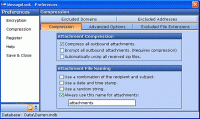
MessageLock gives you a choice of encryption methods, from super-strong AES-256 bit, to AES-128 bit, and the weaker but highly compatible Zip-2.0 algorithm.
To use MessageLock, all you do is associate an email address with a password, a process that takes just seconds. Or, just go ahead and send an encrypted email -- if MessageLock can't find the password to use, it will ask you for a password and then remember it for the next you send to this email address.
If MessageLock is installed at receivers end, the message can be decrypted immediately upon receipt and displayed as a regular message. The only difference is a single line of text at the bottom of the message that alerts the reader that this message was transmitted securely.
If the receiver does not have MessageLock, they can still decrypt the zip file if they have the password, and any zip utility that supports the encryption method used. WinZip 10.0 or the free zip utilities like Izarc can both decrypt AES-256.
Download a fully functional trial and see how easy MessageLock is to use. Whats new in version 1.12.1781: Added ability select all methods as default encryption methods. Requirements: Microsoft Outlook 2007/2003/2002 XP/2000 Operating system: Windows7,Vista,WinXP,Windows2000 Release notes: Minor Update
TurboZIP is a secure Archive and E-mail Management tool that offers an amazing depth of features, with an interface that is easily accessible to all users. It opens all major archive and E-mail attachment formats with internal thumbnail and viewing.
Price: $ 49.95, Rating: 10, Downloads: 101 Download
very easy to create zip, unzip, jar, unjar, ZIP into EXE, EXE into Zip file by simply dragging and dropping files or folders or URL link on it
Price: $ 10, Rating: 10, Downloads: 71 Download
Advanced RAR Repair(ARAR) is a powerful tool to repair corrupt or damaged RAR and SFX archives. It uses advanced technologies to scan the corrupt or damaged archives and recover your files in them as much as possible.
Price: $149.95, Rating: 8, Downloads: 57 Download
User Rating
Rating:2.2 out of
5 Based on13 ratings.
13 user reviews.

 MessageLock Email Encryption for Outlook 1.12.1781 details